
AI co-pilot for SQLite
Ask in plain English and get SQL that references the real tables in your SQLite file.
Open a .sqlite, .db or .sqlite3 file and start browsing in seconds. A native Mac app for viewing, editing, and querying SQLite, with an AI co-pilot that writes the SQL with you.
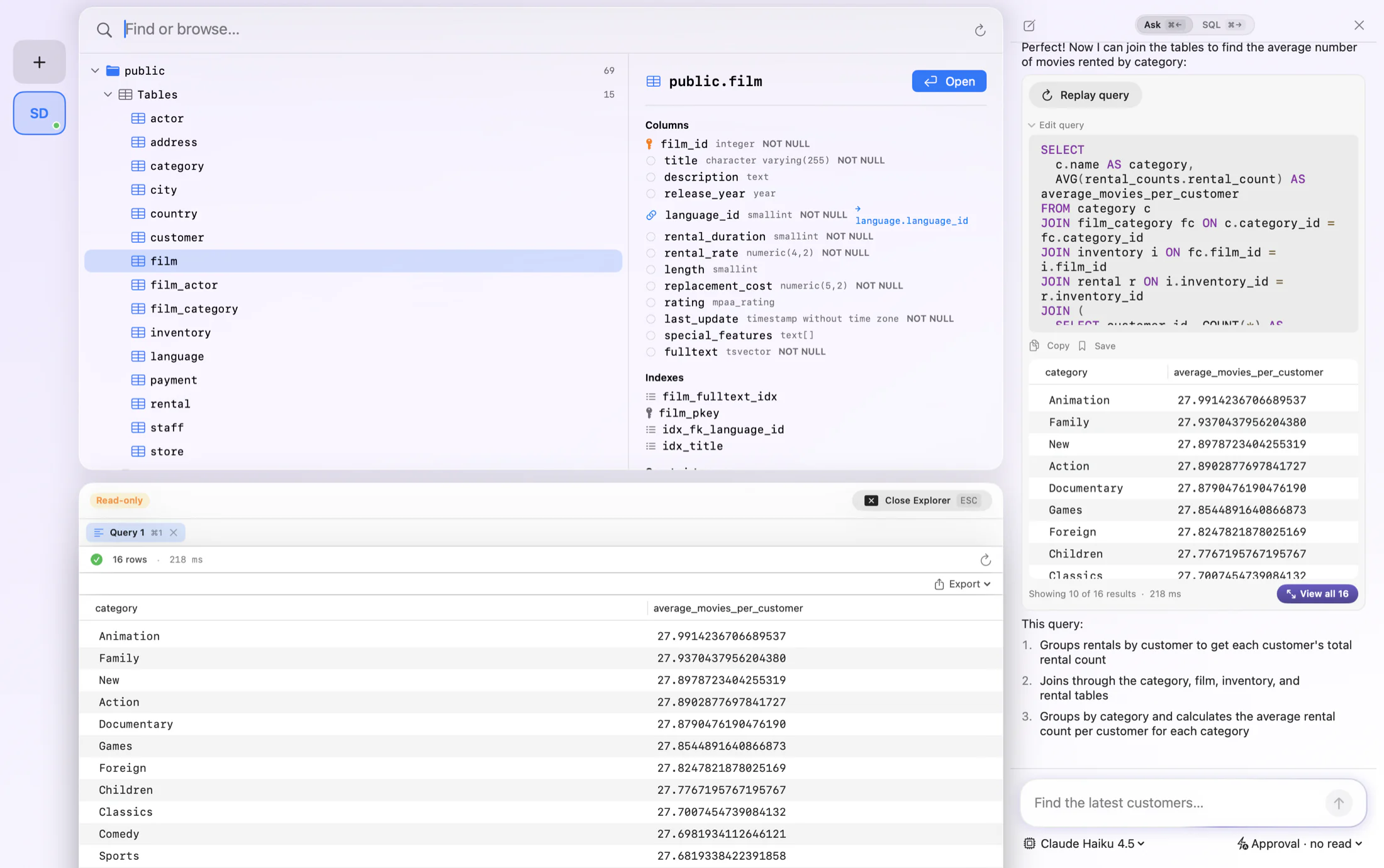
SQLite lives in a file, and FluentDB makes that file easy to work with on your Mac. Drop in any .sqlite, .db or .sqlite3 file, browse its tables and schema, and edit rows directly, with no server to configure. It is a SQLite viewer, browser, and editor in one native app.
The extension does not matter, which trips people up more than it should. SQLite files are shipped as .sqlite, .db, .sqlite3, or with no extension at all, and they are all the same format. FluentDB opens them the same way, so you do not have to rename a file to look inside it.
Because SQLite is everywhere, from iOS and Android apps to local development and analytics exports, FluentDB adds an AI co-pilot that turns plain English into SQL against your file's real schema. It also opens ChaCha20 and SQLCipher encrypted databases when you have the key.
Ask in plain English and get SQL that references the real tables in your SQLite file.
Point FluentDB at a .sqlite, .db or .sqlite3 file and start browsing instantly, no server needed.
Open ChaCha20 and SQLCipher encrypted databases with your key.
Edit and insert rows and write them straight back to the file.
Autocomplete from your SQLite schema, with highlighting and one-key formatting.
Turn a query over your SQLite data into a chart without leaving the app.
FluentDB speaks SQLite natively. Here is some of what that looks like in practice.
Other SQLite browsers stop at showing you tables. FluentDB starts with AI. Open a .sqlite file and ask a question in plain English. It reads the file's schema and writes SQL that runs against your real data, so answers come faster.
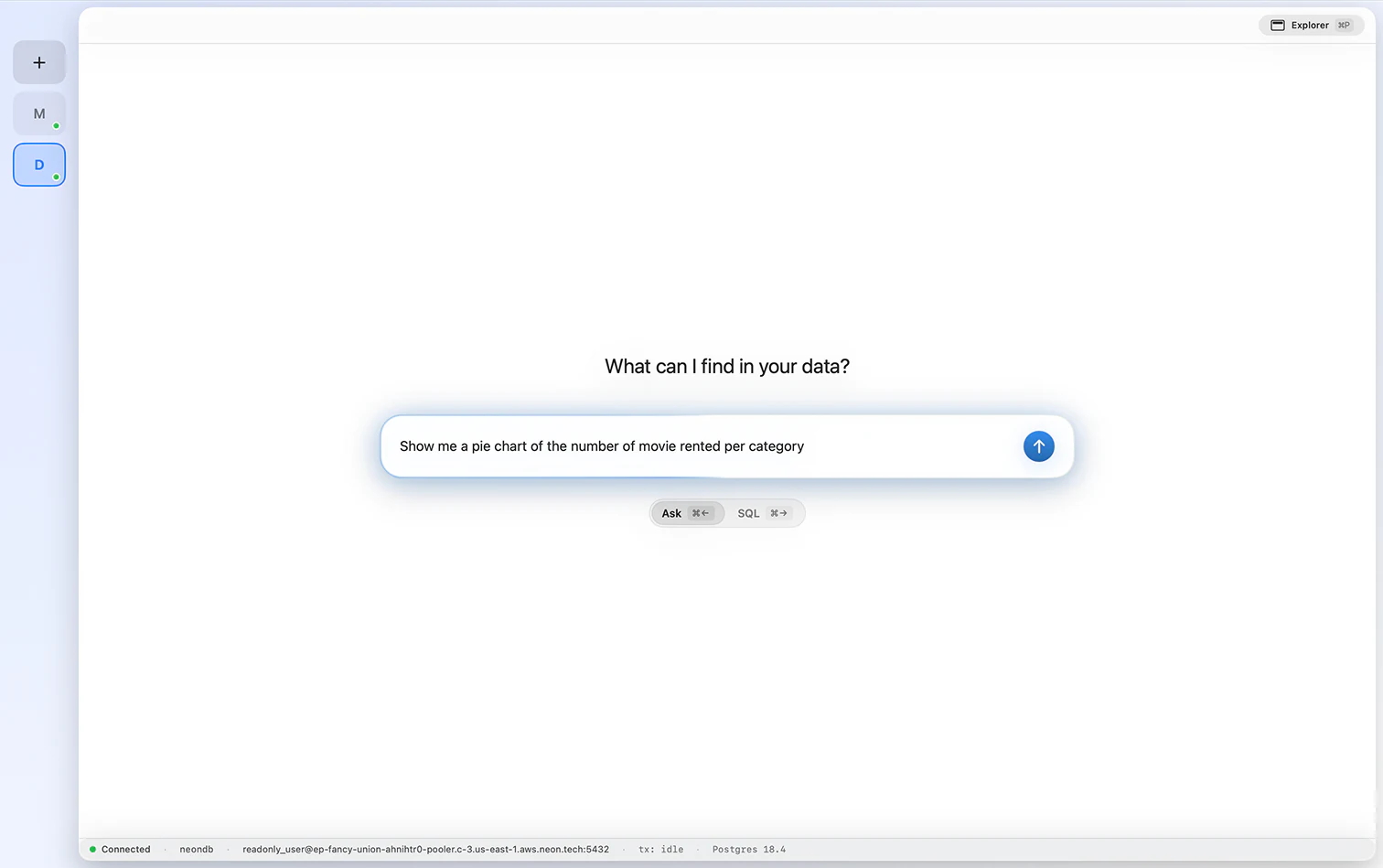
Pose a question and FluentDB builds the query, runs it over your SQLite file, and renders the result as a chart. Move between donut, line, and table views freely, and get a feel for the data without leaving the app.
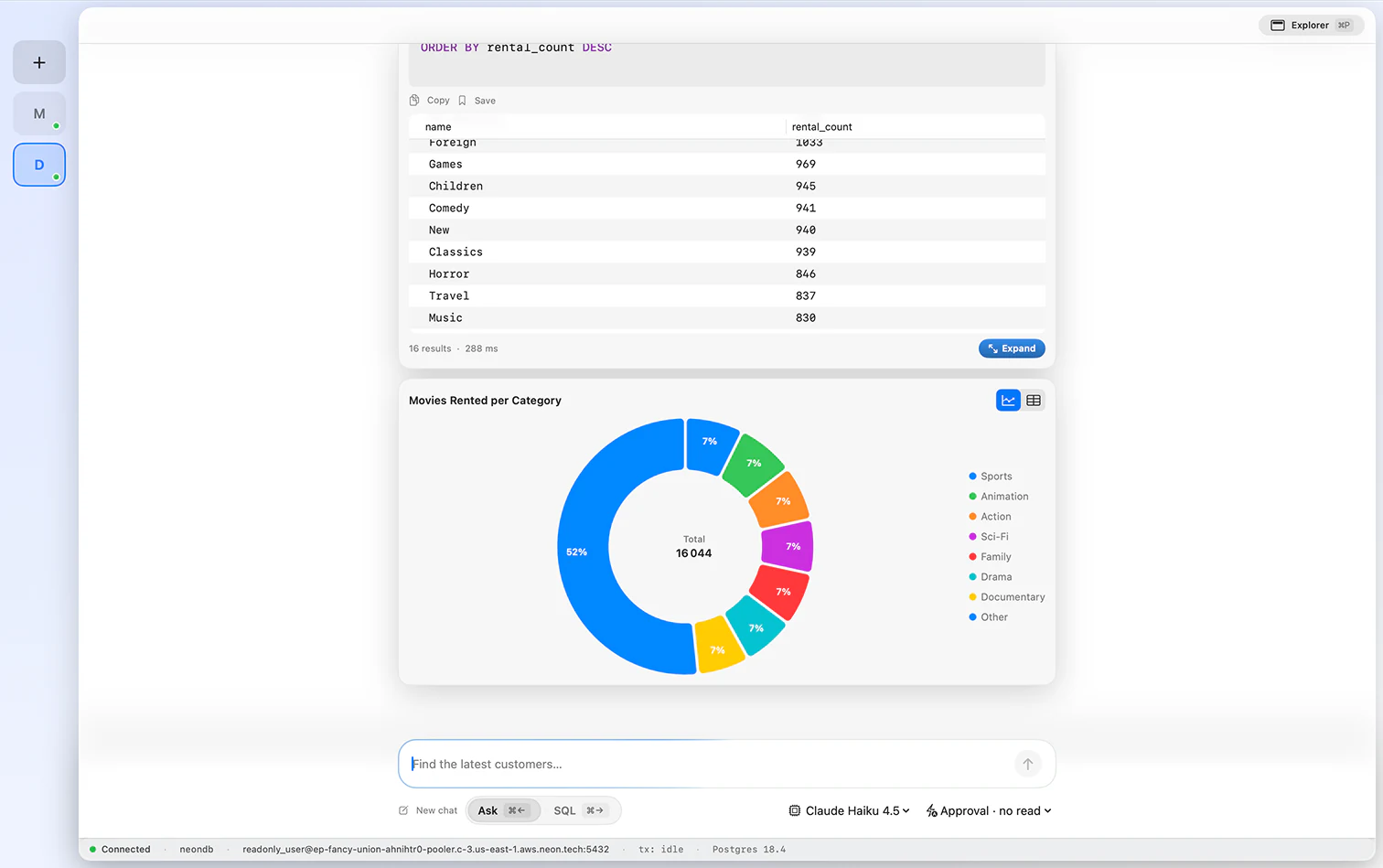
A responsive grid that makes file editing painless. Scroll through records, edit values inline, queue up inserts and deletes, and pop open a row to review every column. Fast, tidy, and unobtrusive.
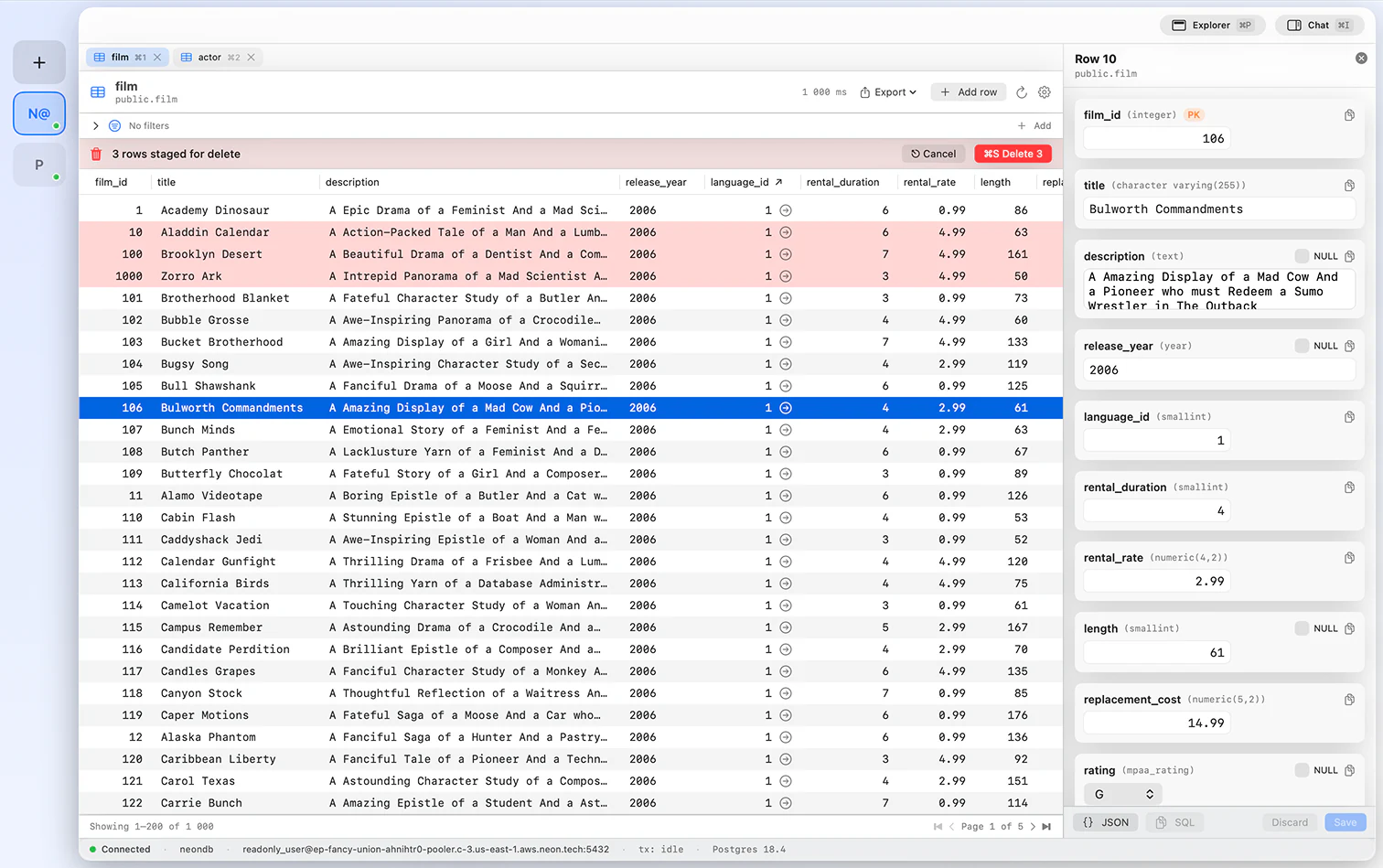
The assistant does not disappear after the first query. Ask it to add a filter, adjust a join, or explain a statement, and it updates the SQL in place. Keep nudging until the query fits your file.
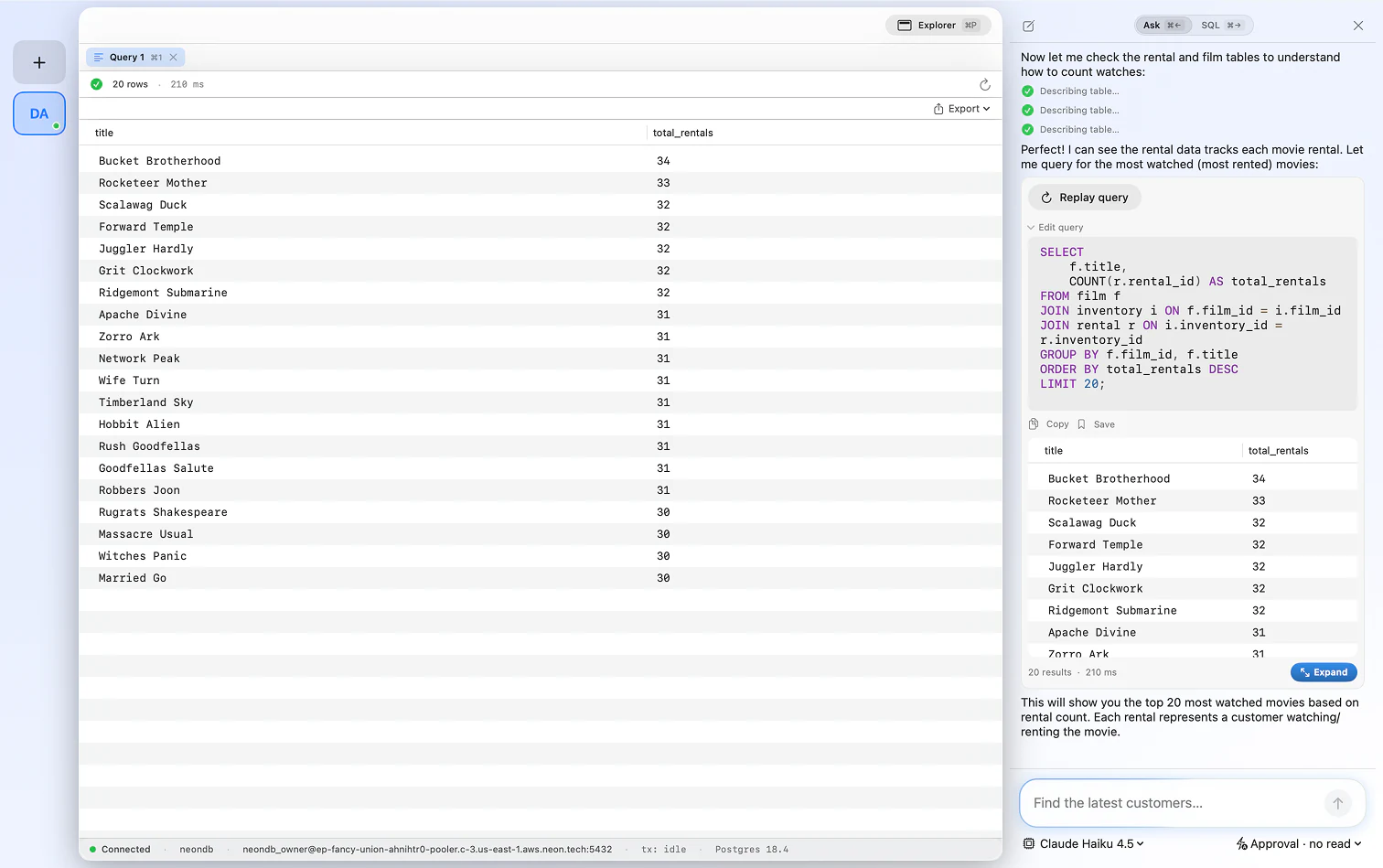
Hand-written or AI-generated, any query can be saved and reopened instantly. Build up a library of the SQLite queries you run again and again, and stop rewriting the same logic each time.
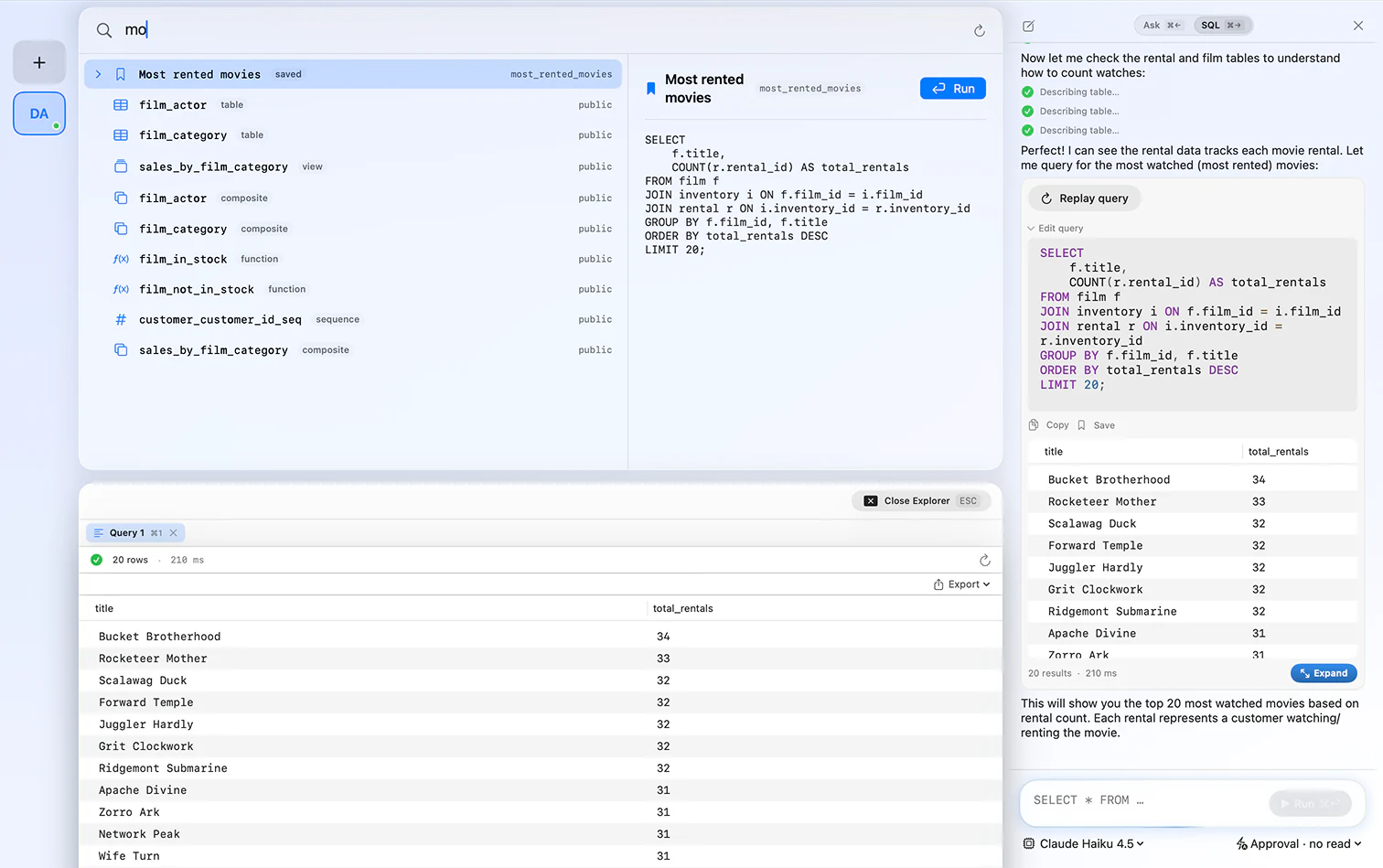
No server, no host, no port. SQLite is a single file, and FluentDB opens it directly.
Yes. FluentDB is a native macOS app that opens any SQLite file for browsing and editing, with a schema-aware editor and an AI co-pilot. It is a paid app, so if you only need to view a file occasionally, a free tool may suit you better.
A .db file is usually a SQLite database. Open FluentDB, create a SQLite connection, and select the file. There is no server to install and no need to rename the file. The .sqlite, .db, and .sqlite3 extensions are all the same format.
Yes. DB Browser for SQLite is free, open source, and does run on macOS, so it is a reasonable choice. FluentDB is a paid, native Mac alternative that adds an AI co-pilot and also connects to PostgreSQL, MySQL, and SQL Server, which DB Browser for SQLite does not.
It depends on what you need. If you want something free, DB Browser for SQLite and Letos (formerly SQLiteStudio) are both solid and open source. FluentDB is worth paying for if you want an AI co-pilot that writes SQL from your schema, a native Mac interface, and support for other databases in the same app.
Yes. FluentDB opens ChaCha20 and SQLCipher encrypted SQLite databases with your key.
No. SQLite is a single file. Just open it in FluentDB and start working.
Yes. Ask in plain English and FluentDB writes SQL against your file's real schema, and explains it. You can use Anthropic, OpenAI, or run a model locally with Ollama.
Yes. Everything stays on your Mac, and by default the AI sees your schema, not your row data.
One database client, one payment, yours forever.
If FluentDB has not replaced your current client within 14 days, we refund you. No questions asked.