
AI co-pilot for SQL Server
Describe what you want and get T-SQL that references your real tables and columns.
A native Mac app for Microsoft SQL Server, with an AI co-pilot that writes T-SQL for you. No Windows, no VM, no SSMS.
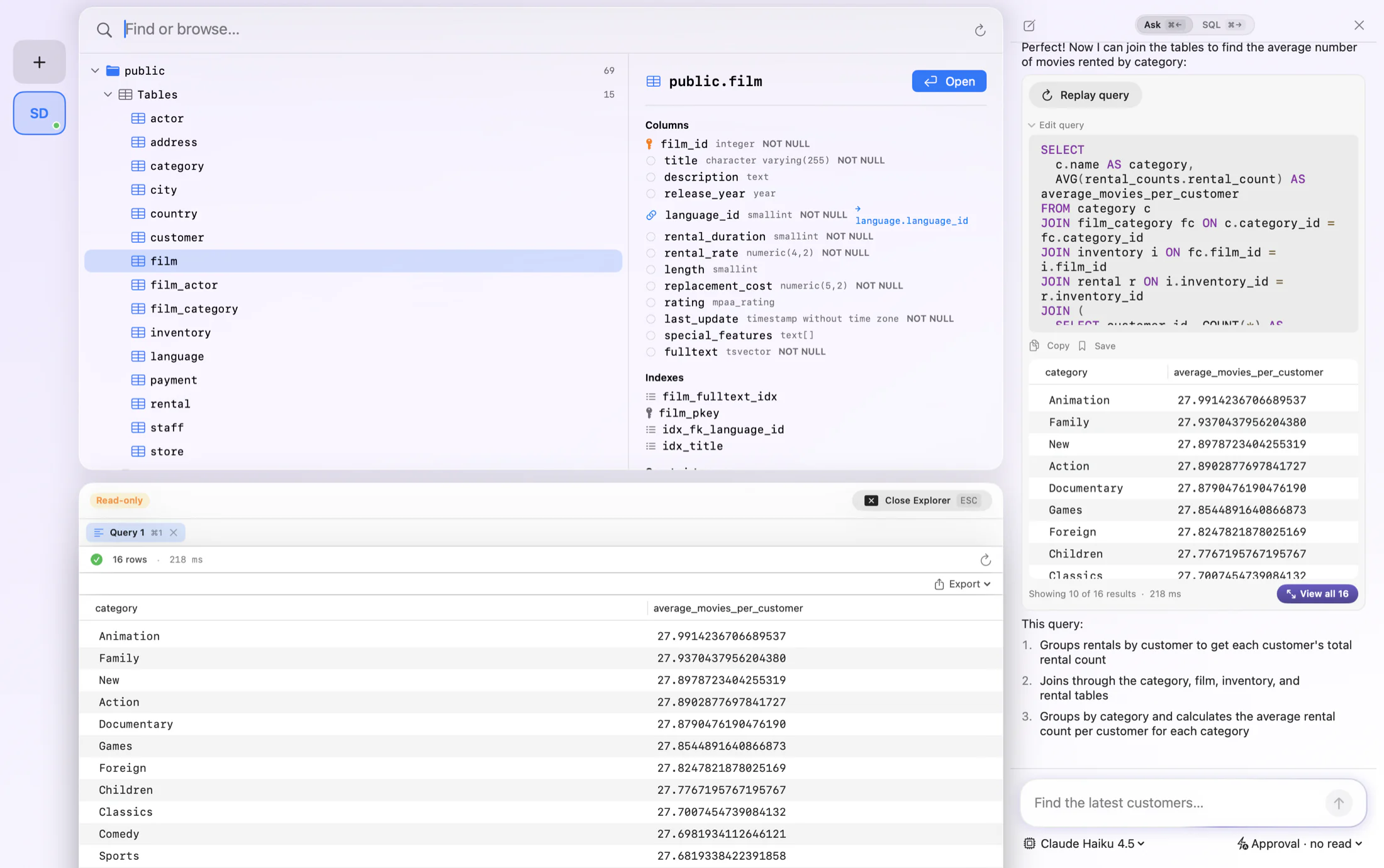
SQL Server Management Studio only runs on Windows, which leaves Mac users juggling virtual machines and remote desktops. FluentDB is a native SQL Server client that runs right on your Mac, so you can connect to Microsoft SQL Server, browse your schema, and edit data without leaving macOS.
Ask in plain English and FluentDB writes T-SQL against your real schema, shows you the query, and explains it before it runs. It is the Mac SQL Server client that helps you write the query, with an interface that feels at home on your Mac instead of ported from Windows.
Describe what you want and get T-SQL that references your real tables and columns.
A real Mac app for SQL Server, with no Windows VM or remote desktop required.
Autocomplete for your SQL Server tables, columns, and joins, with highlighting and formatting.
Edit and insert rows and write changes back to SQL Server from the grid.
Read-only connections and manual approval before any statement runs.
Reach a SQL Server instance behind an SSH tunnel or bastion host.
FluentDB speaks SQL Server natively. Here is some of what that looks like in practice.
Skip the Windows detour. FluentDB is a native SQL Server client that puts AI first. Connect from your Mac and ask in plain English, and it reads your schema to write T-SQL against your real tables, so the busywork takes care of itself.
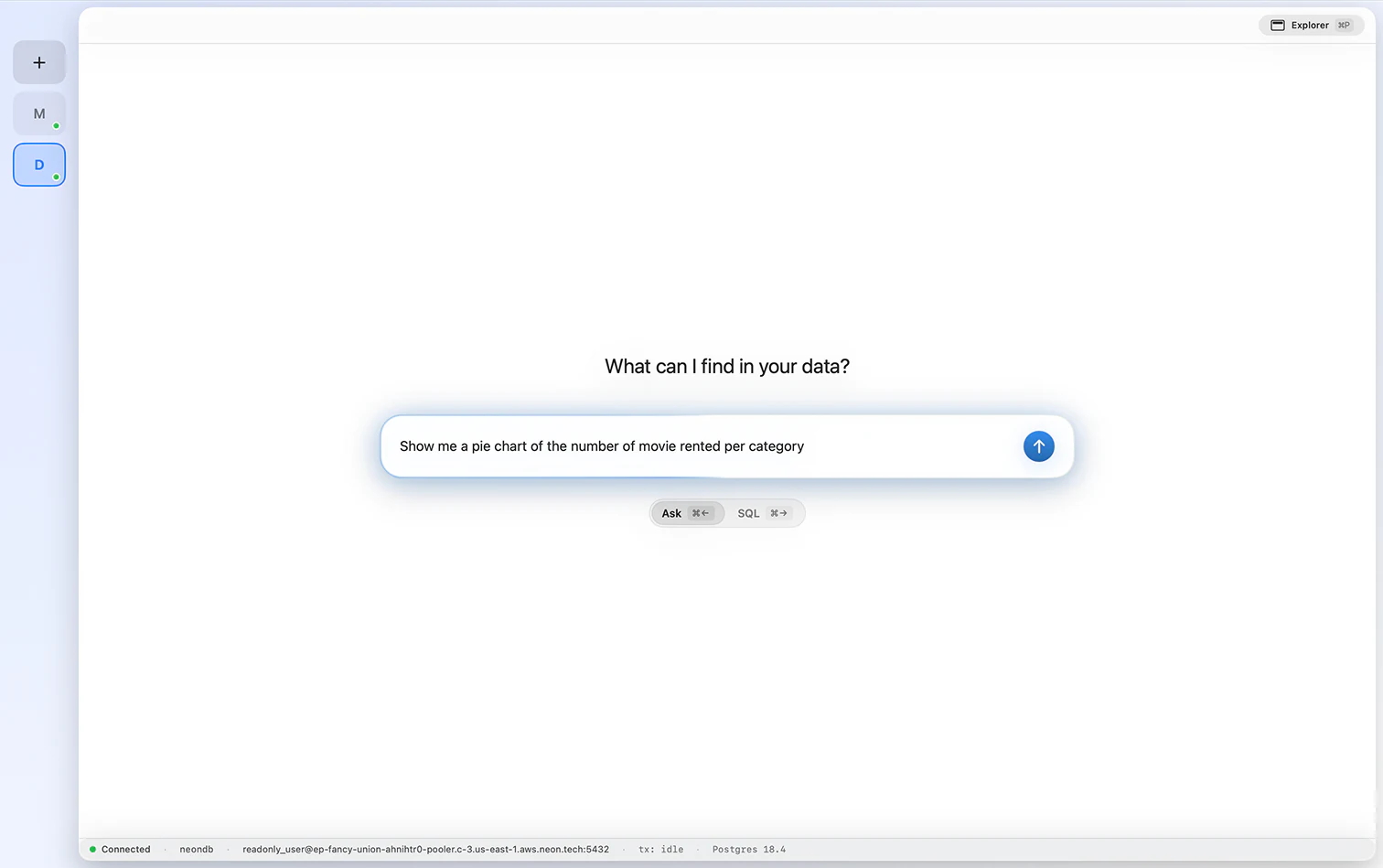
Ask what you want to know and FluentDB writes the query, runs it on SQL Server, and charts the result. Toggle between donut, line, and table, and see the story in your data without a reporting tool.
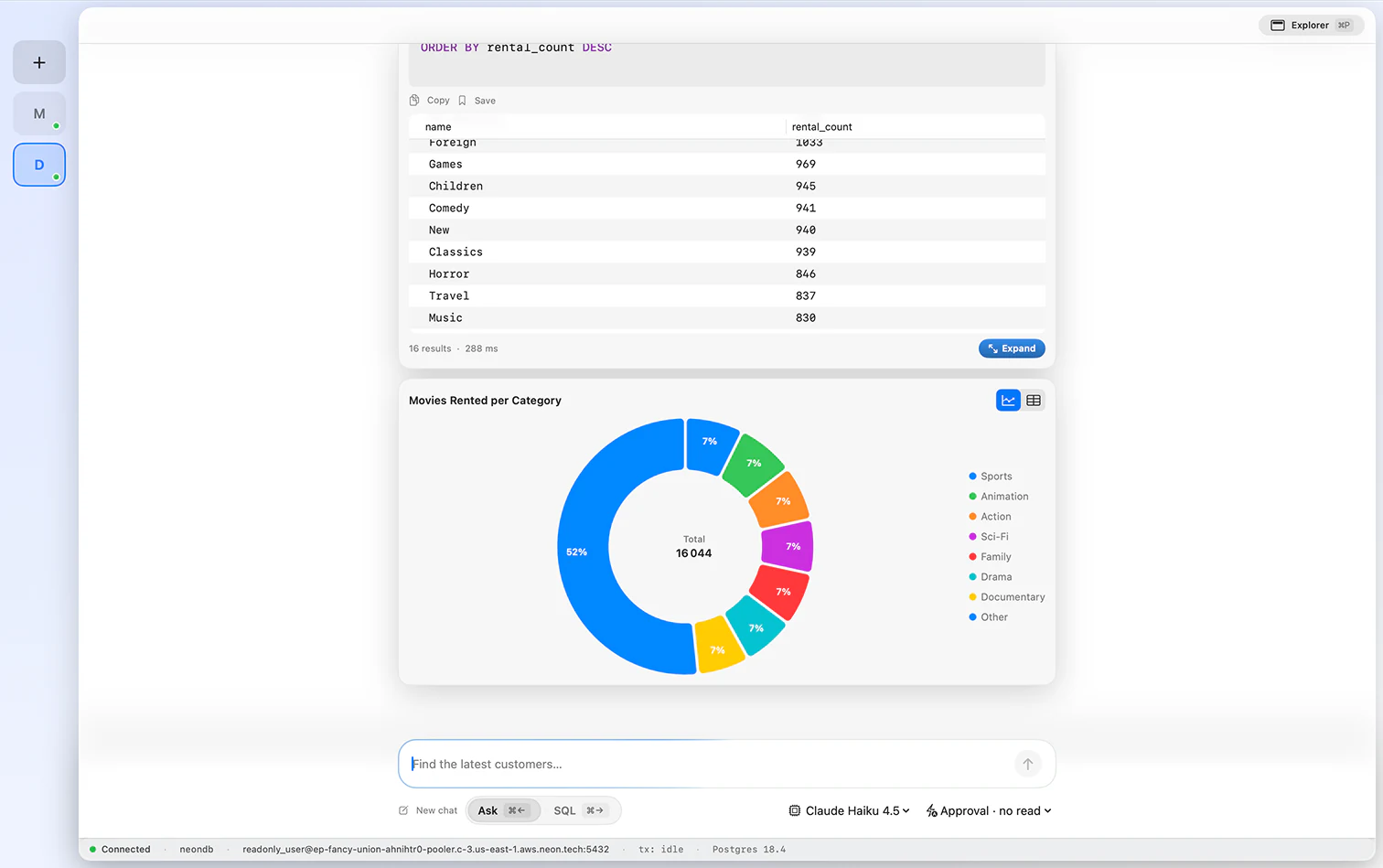
A native macOS grid that handles real workloads. Scroll big result sets smoothly, edit inline, stage inserts and deletes before committing, and inspect a full record in a side panel. Fast and clean, no VM required.
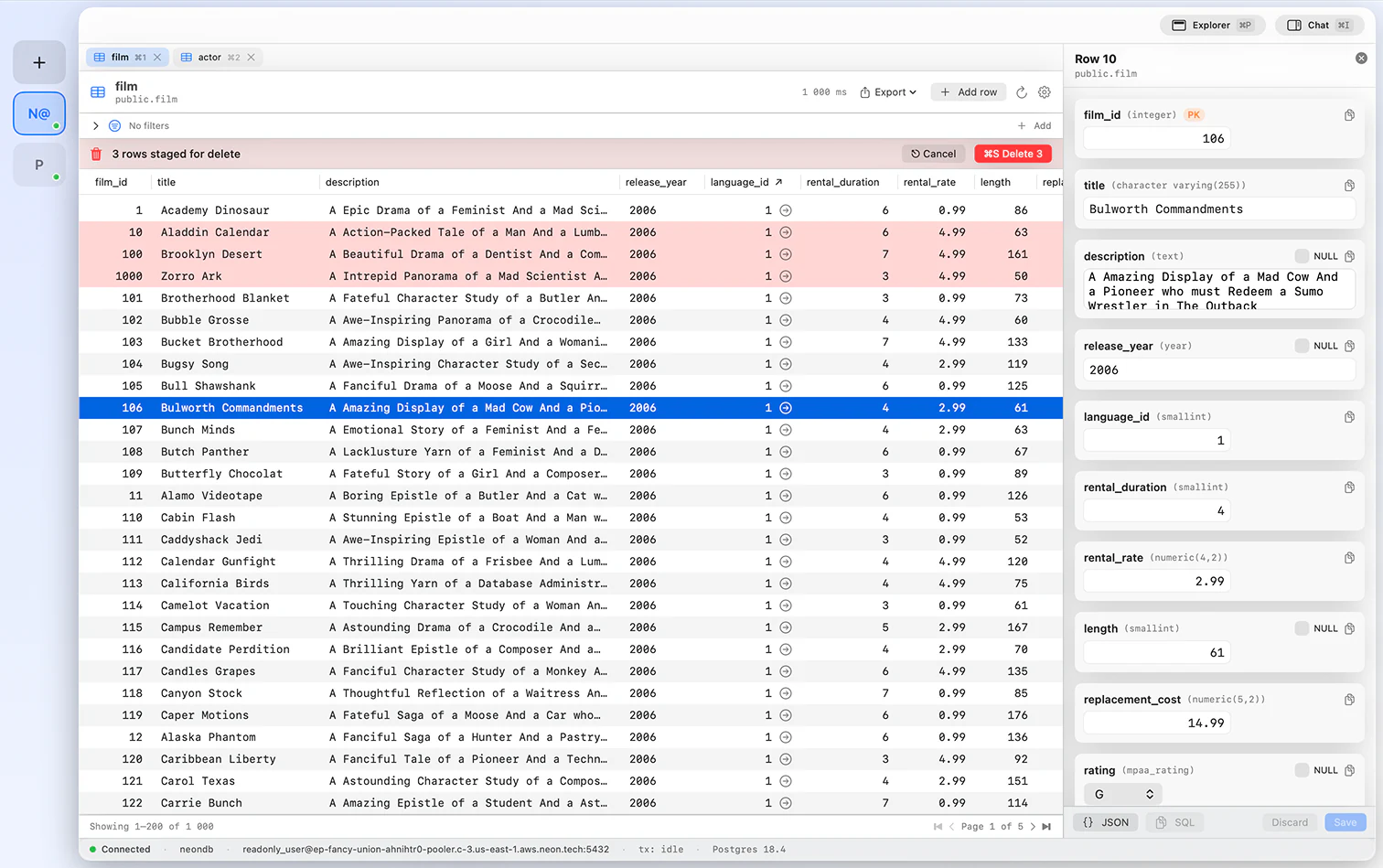
The assistant stays with you past the first draft. Ask it to add a filter, rework a join, or explain a query, and it rewrites the T-SQL in place. Keep iterating until the result is exactly what you need.
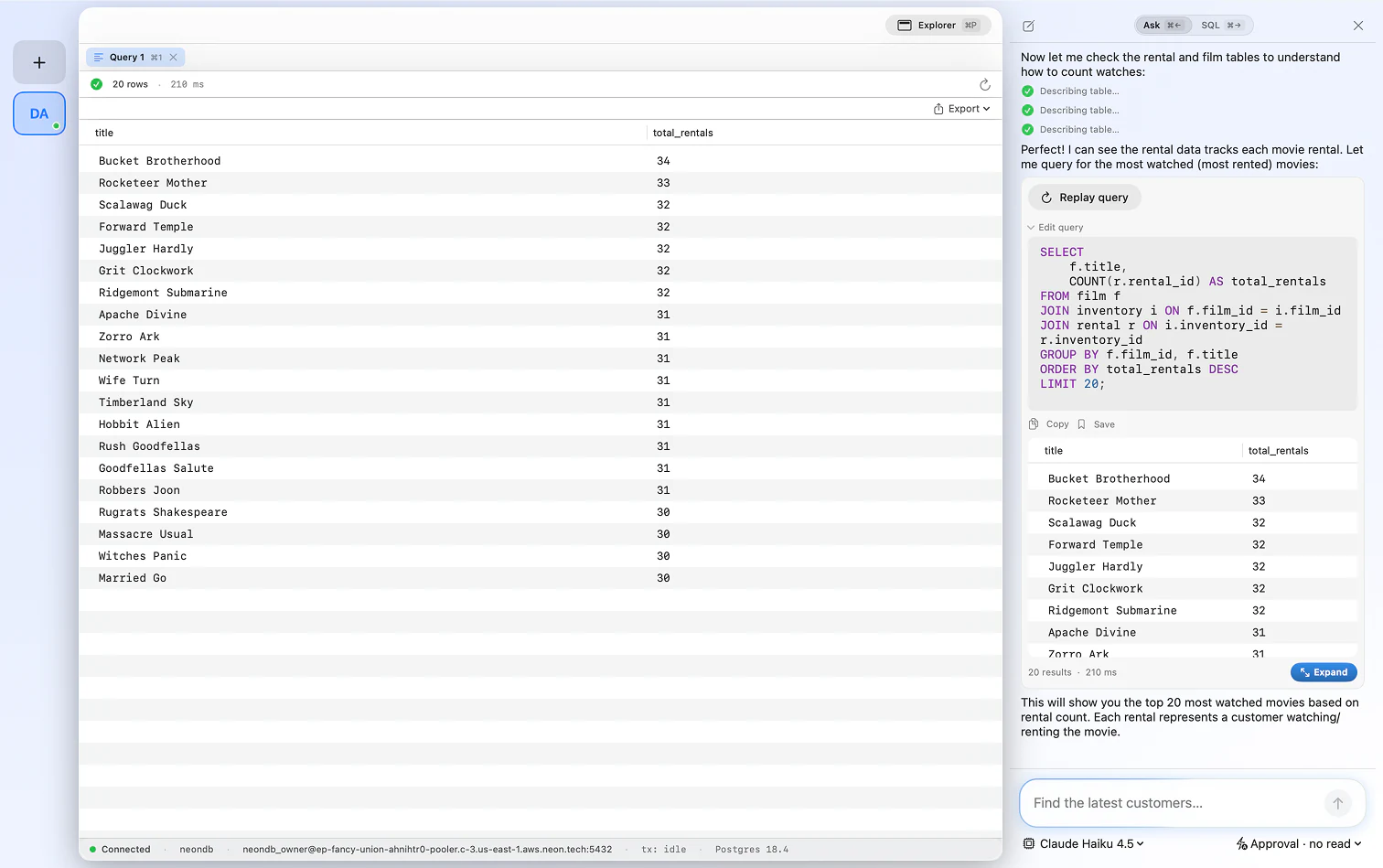
Typed by hand or generated by AI, every query can be saved and recalled in a keystroke. Build a library of the SQL Server queries you rely on, so you never rebuild the same join again.
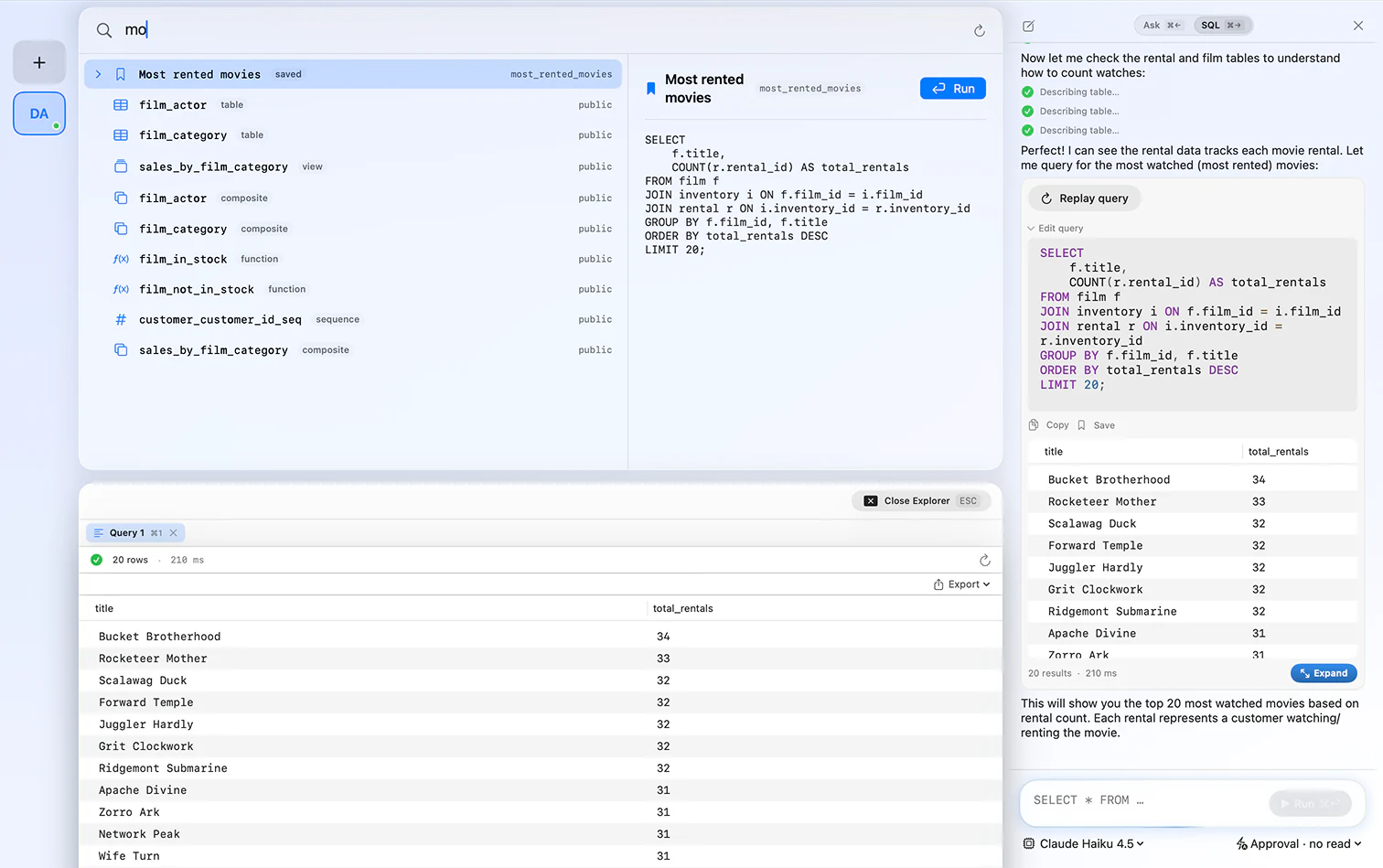
FluentDB connects to Microsoft SQL Server, on-prem or in the cloud, including Azure SQL.
Yes. FluentDB is a native SQL Server client for macOS, so you do not need a Windows VM or SSMS to work with Microsoft SQL Server on a Mac.
For everyday querying, browsing, and editing, yes. FluentDB runs natively on macOS, where SSMS does not run at all, and adds an AI co-pilot that writes T-SQL for you.
Yes. FluentDB connects to Microsoft SQL Server on-prem and in the cloud, including Azure SQL, with optional SSH tunneling.
Yes. Ask in plain English and FluentDB writes T-SQL against your real schema, and explains it. You can use Anthropic, OpenAI, or run a model locally with Ollama.
Yes. Connections and credentials stay on your Mac in the Keychain, and by default the AI sees your schema, not your row data.
One database client, one payment, yours forever.
If FluentDB has not replaced your current client within 14 days, we refund you. No questions asked.