
Thank you for purchasing FluentDB
You are two minutes away from a fully unlocked FluentDB. Follow the steps below and your license will be active in no time. Your key looks like FLU-XXXX-XXXX-XXXX and is in your purchase confirmation email.
By Kevin Piacentini, Software Engineer & Founder of FluentDBDownload and install FluentDB
If you have not installed FluentDB yet, download it below and follow the installation wizard. Already have it running? Skip straight to step 2.
Open the activation screen
How you get there depends on where you are. Pick the case that matches your app.
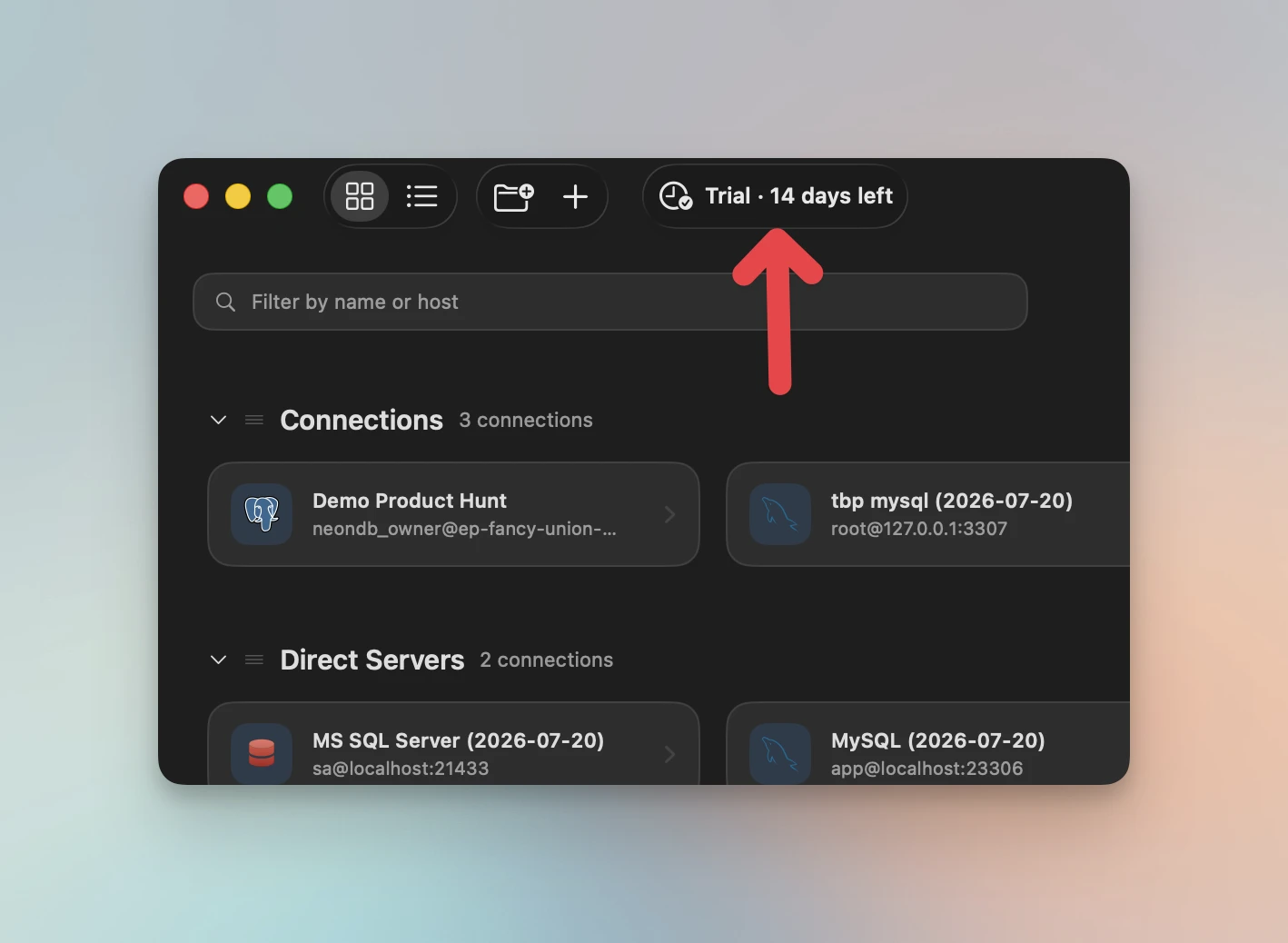
Click the Trial button in the top-right of the window.
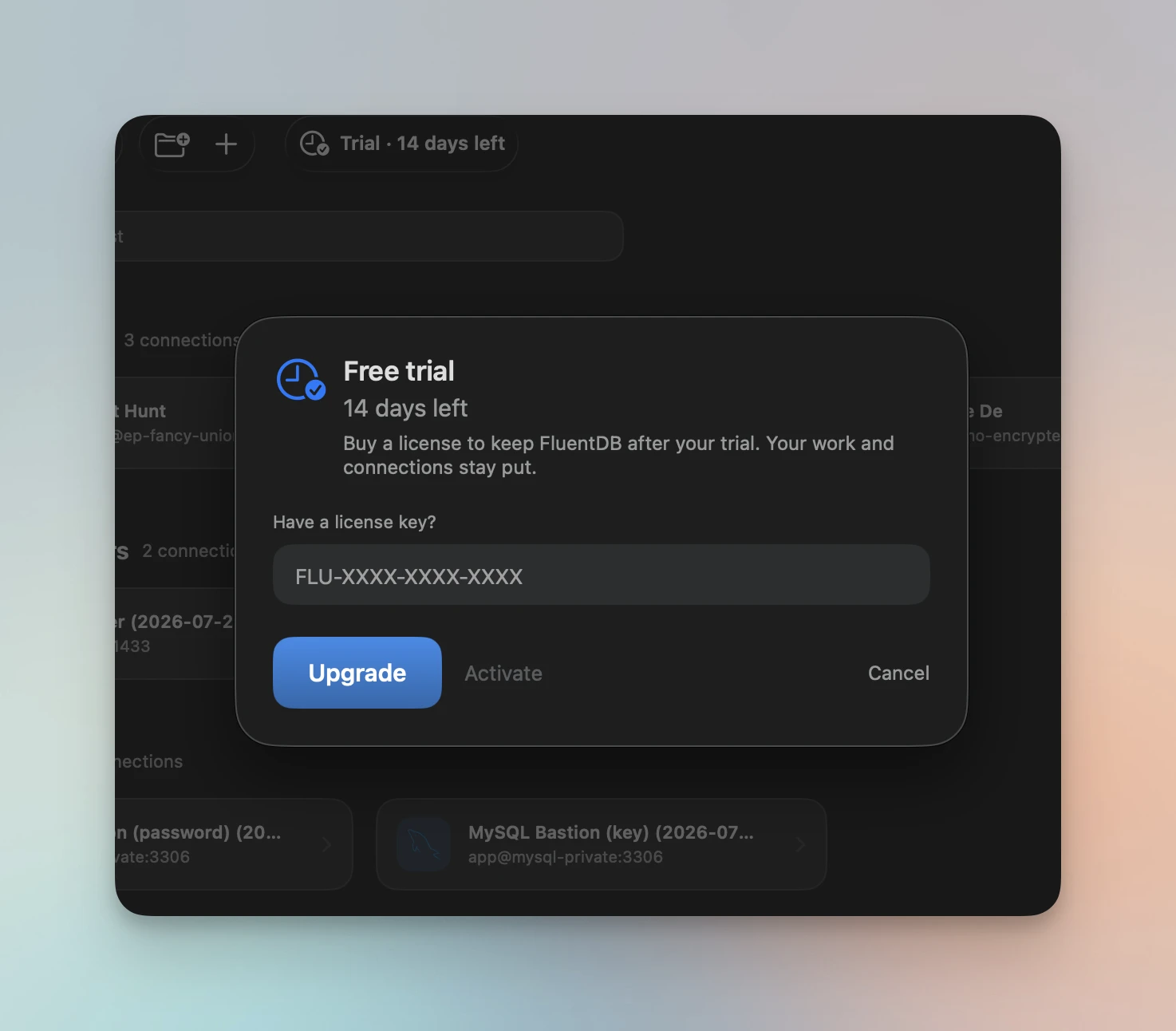
Then paste your license key into the field and click Activate.
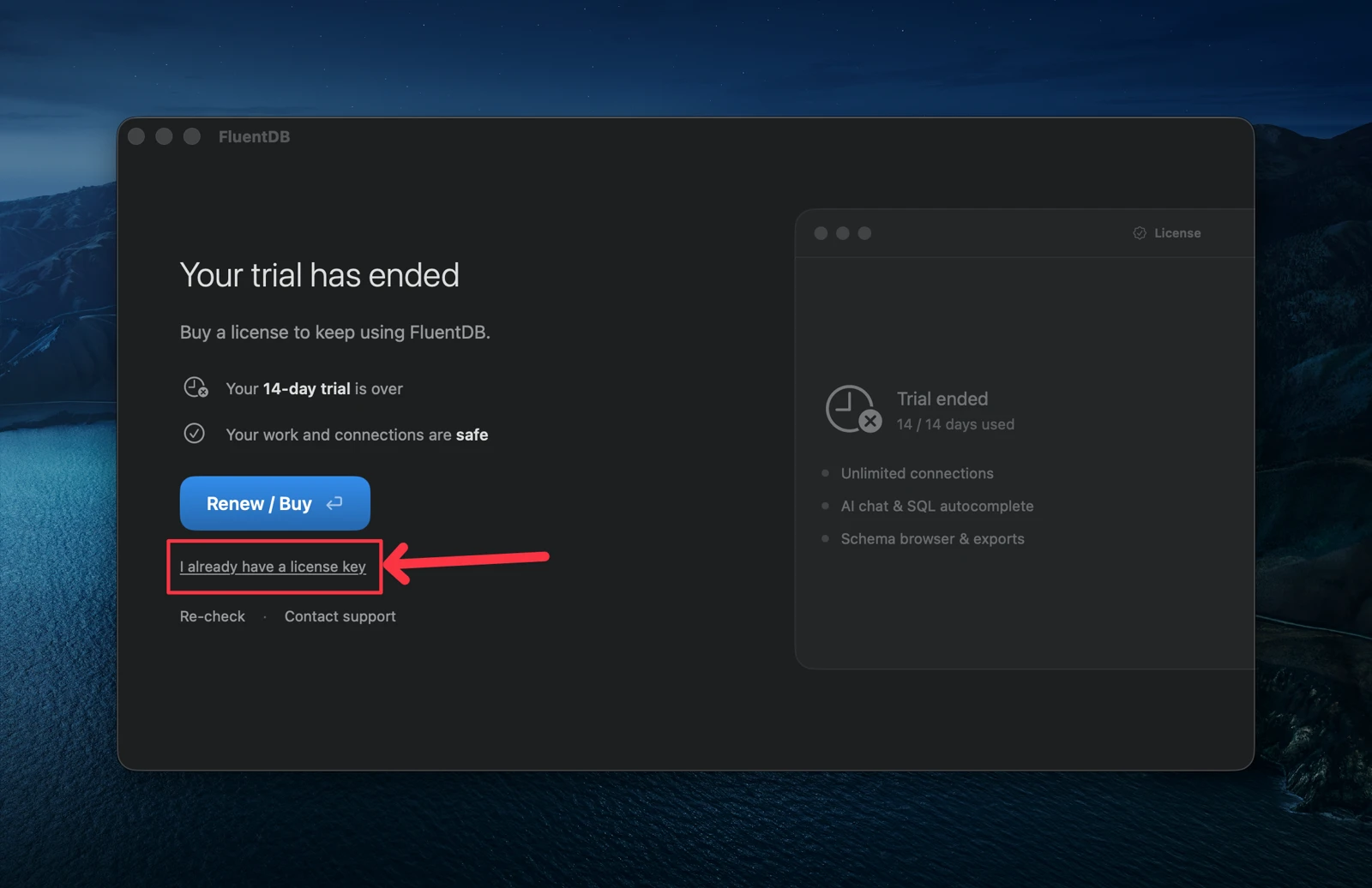
On the “Your trial has ended” screen, click I already have a license key.
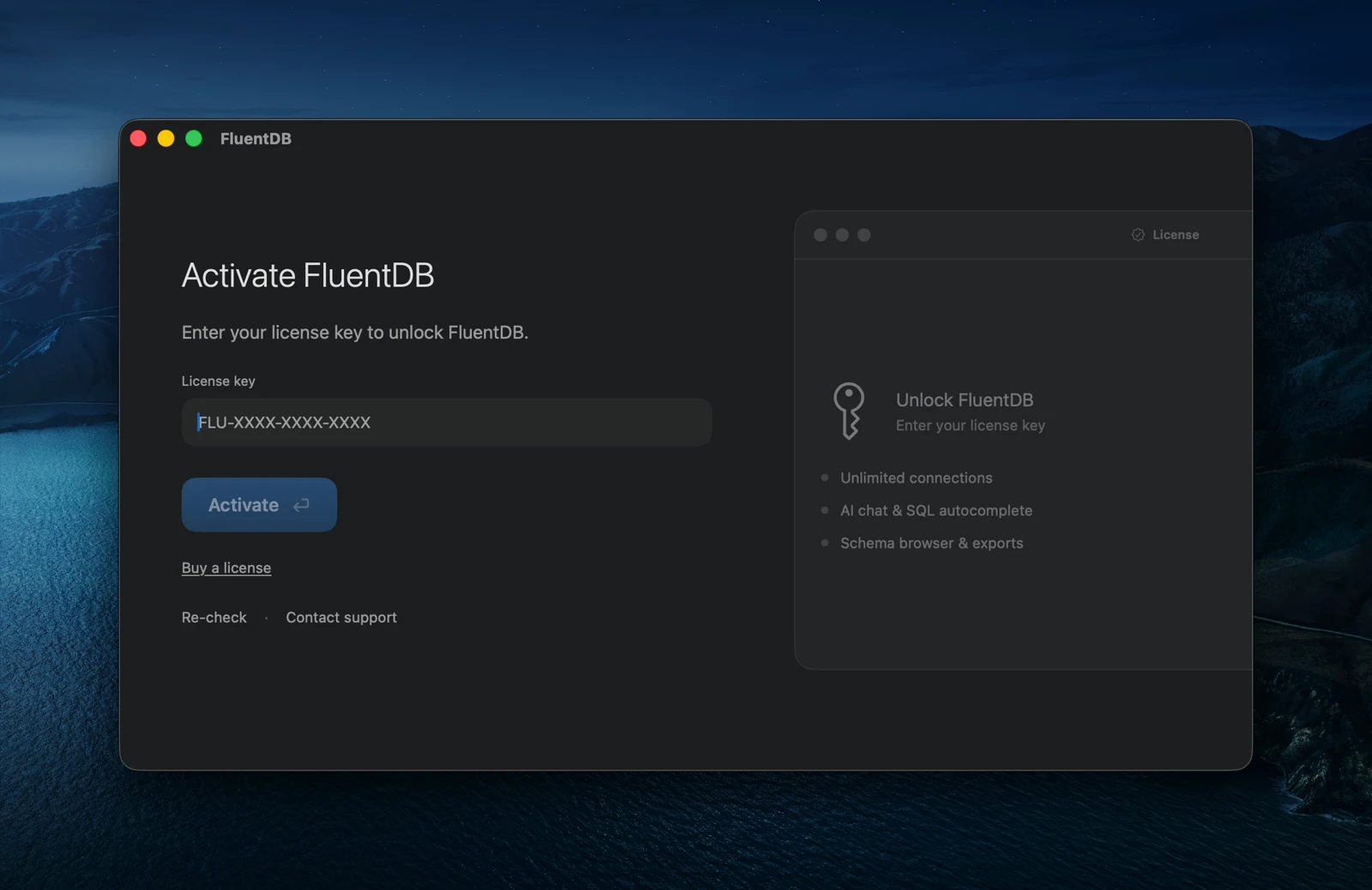
Enter your key on the Activate FluentDB screen and click Activate.
Validate your license
With your key in the field, hit Activate (or press Return). FluentDB checks the key and unlocks instantly. Your connections, queries, and settings all stay exactly where you left them.
- Make sure you copied the whole key, including the FLU- prefix.
- A single space or missing character is the most common reason a key is rejected.
Check that you are licensed
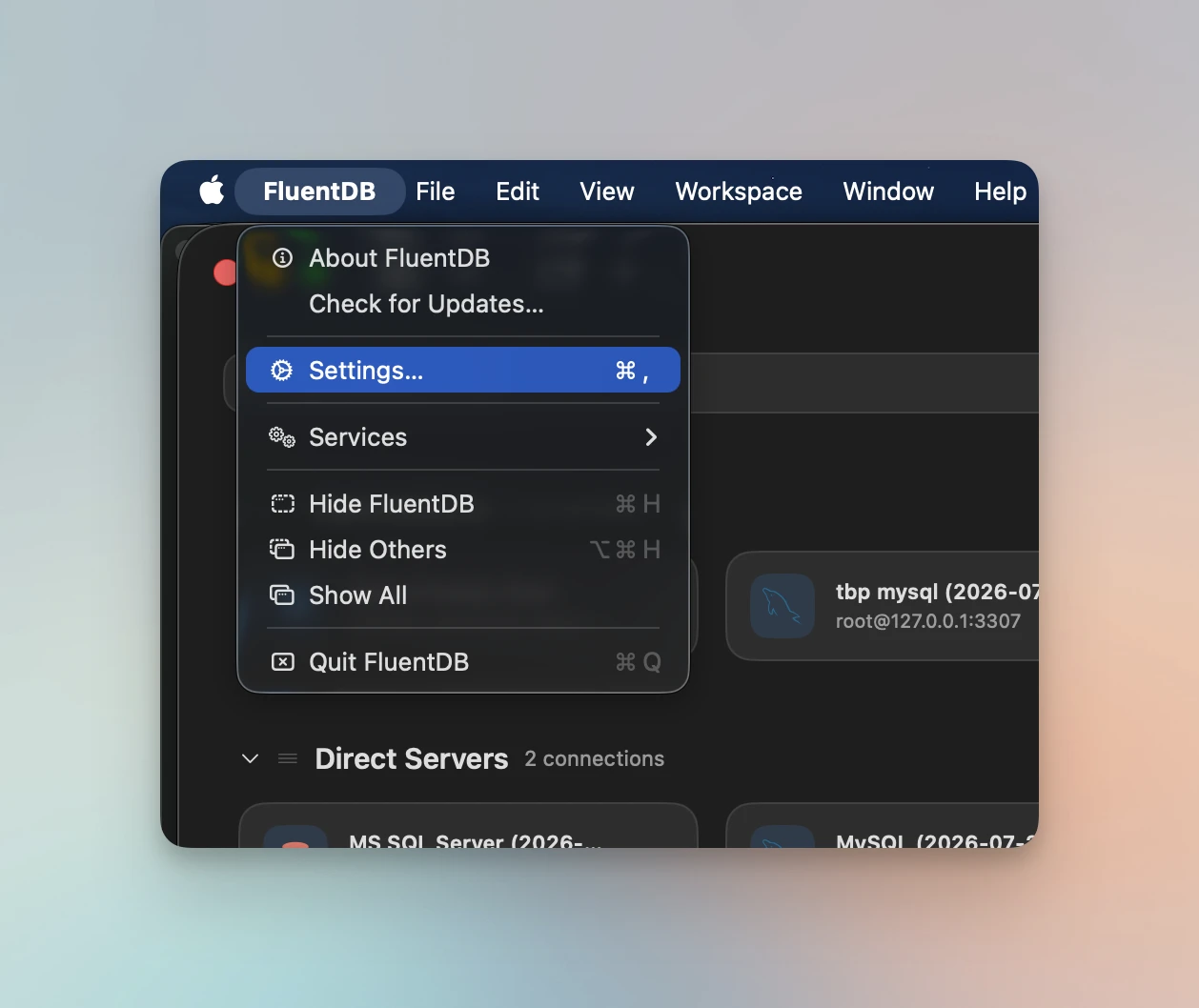
That is it, you can use FluentDB right away. To double-check, open FluentDB → Settings from the menu bar (or press ⌘ ,).
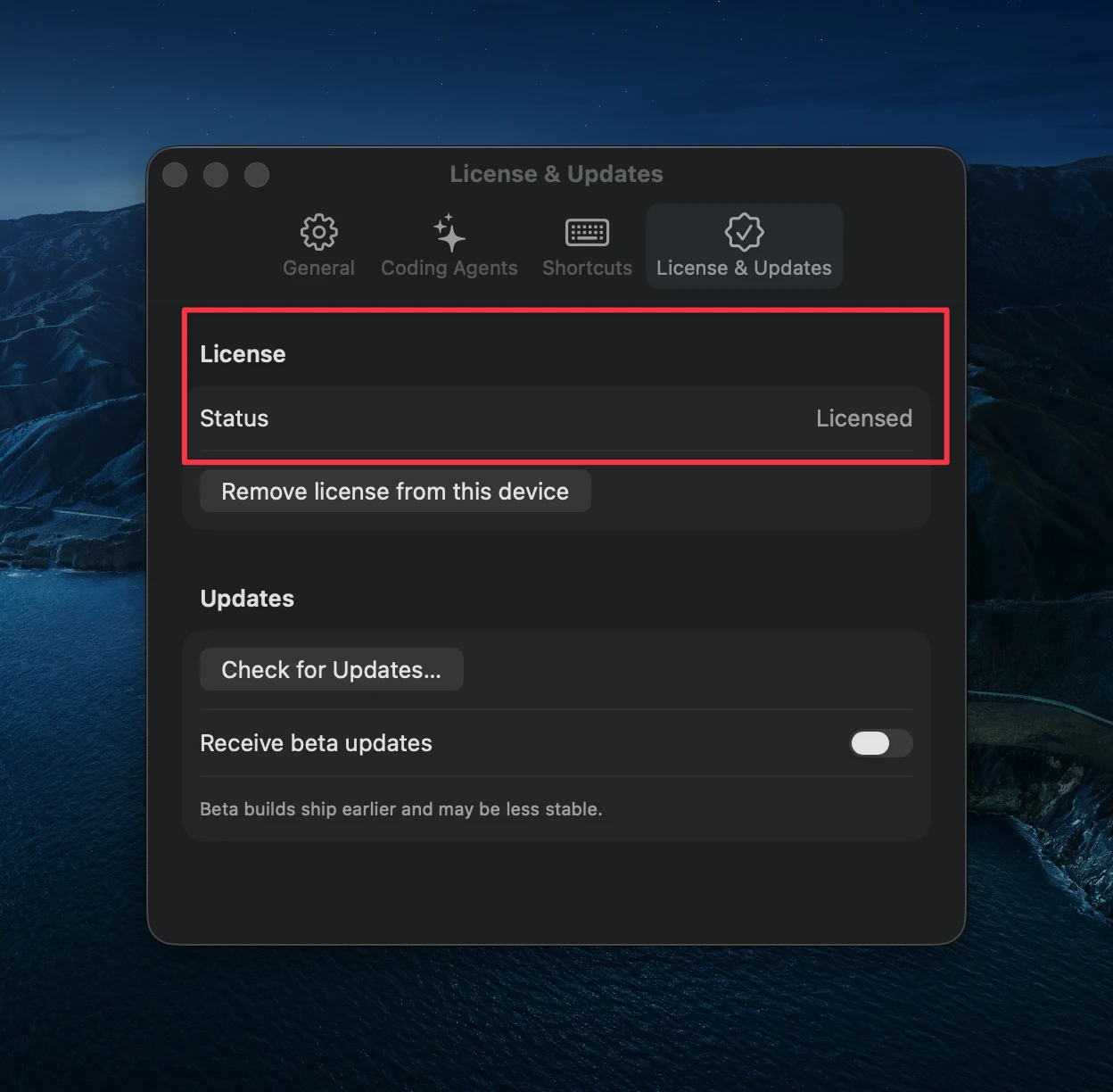
Open the License & Updates tab. Your status should read Licensed. You are all set.
Something not working?
We are happy to help. Email us from your purchase address and we will sort it out quickly.
I have not received my license
No key in your inbox after buying? Check your spam folder, then reach out and we will resend it.
I cannot activate my license
The key is not being accepted? Send it over and we will get you unlocked.
Any other issue
Anything else about your purchase or setup, we are one email away.